Automated video publishing with n8n
I built a workflow that selects videos from Google Drive, uses ChatGPT/OpenAI to prepare the publication content, publishes through Buffer and sends an operational report to Telegram. The workflow connects video selection, content preparation, publication and reporting.
- My role
- Workflow design, integrations and publication control
- Project
- Content operations workflow
- Status
- Documented workflow
- Focus & tools
- n8n · Google Drive · ChatGPT/OpenAI · Buffer · Telegram
The publishing problem
Moving a video from a source folder to publication involves several handoffs: selecting the asset, preparing the message, sending it to the right channel and recording what happened. This workflow connects those steps so the publication state can be reviewed.
A connected publication process
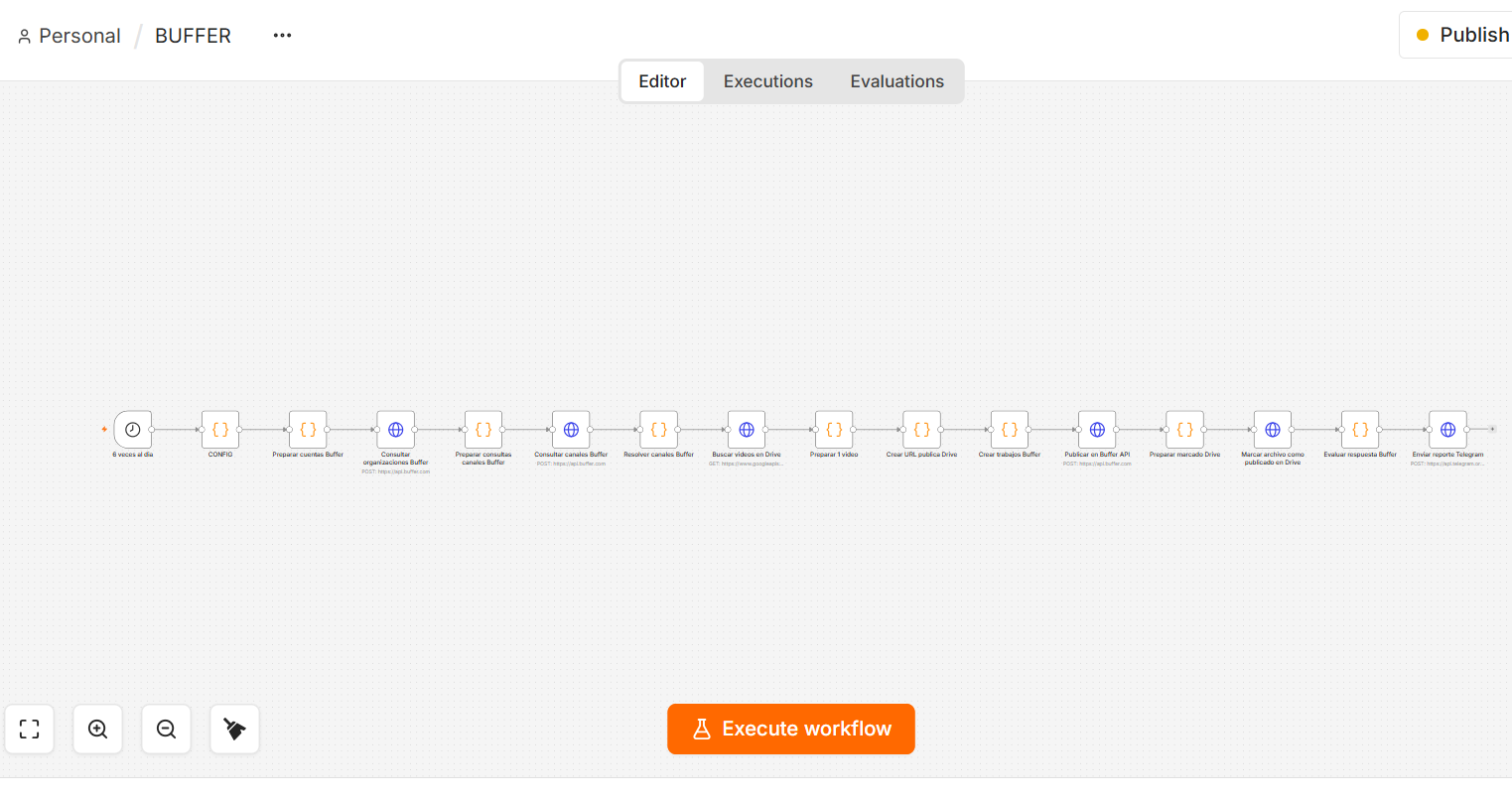
The workflow brings video selection, content preparation, publication and follow-up into one process. After resolving the Buffer channels, it selects a Drive video, prepares the publication with ChatGPT/OpenAI, checks the response and marks the file as published.
- Select a video from the source folder.
- Prepare the copy, URL and publication job with ChatGPT/OpenAI and Buffer.
- Evaluate the publication response and update the file’s state.
- Send the operational report to Telegram.
Deliverable and evidence
The documented deliverable is an n8n workflow connecting Google Drive, ChatGPT/OpenAI, Buffer and Telegram, with a file-state update after the publication response. The supplied screenshot is evidence of the configured workflow and schedule.
What is demonstrated
The case demonstrates an operational integration across a content source, an AI-assisted preparation step, a publishing platform and a notification channel. The screenshot shows a configured schedule; it is not a measurement of actual publication volume or time saved.
Privacy boundary
The public case explains the flow without publishing credentials, account identifiers, tokens, private URLs or internal configuration.